VST3 plugin host · Windows
Your whole keyboard rig,
at your fingertips.
KeyStack is a touch-first plugin host for the stage. Big targets, glanceable color, no mouse required — run your entire set from a touchscreen sitting right on your keyboard.
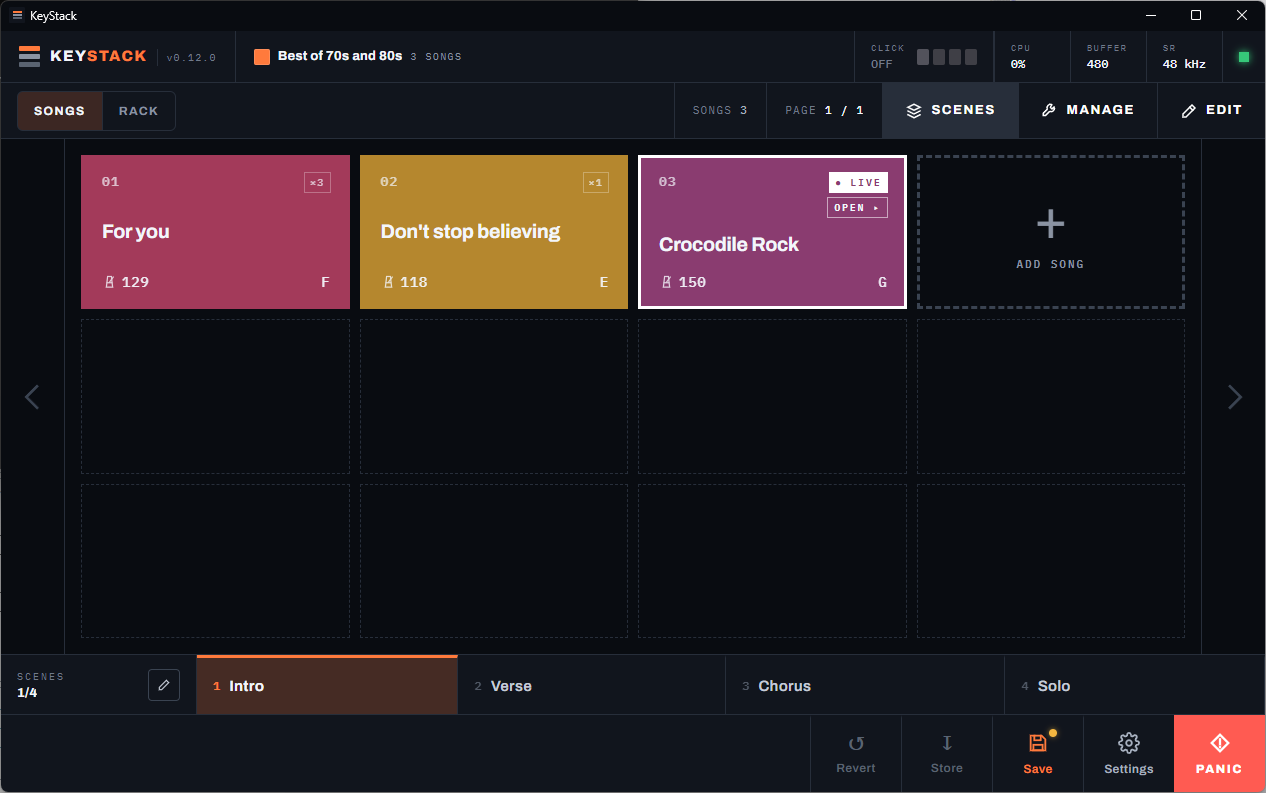
A setlist made for performing
Big colored tiles you can hit mid-song. The gig view is the home screen, not a buried feature.
Flexible plugin sandboxing
Plugins run in isolated worker processes. One misbehaving plugin never takes down the show.
Instant, seamless scene transitions
Move instantly from intro to chorus to solo with crossfaded transitions. Held notes ring out naturally.
Virtual audio & MIDI I/O
Songs reference logical ports, not hardware. Swap interfaces or keyboards without touching a single song.
Setlist
Built to be played, not just configured
The setlist is a tiled grid of colored song cards — easy to read across a dark stage and easy to hit on a touchscreen. Tap the active tile to drill into full song detail.
Sort by name, or reorder an entire set in seconds by tapping songs in the sequence you want them. A scene switcher sits along the bottom, so section changes never require leaving the setlist.
Play
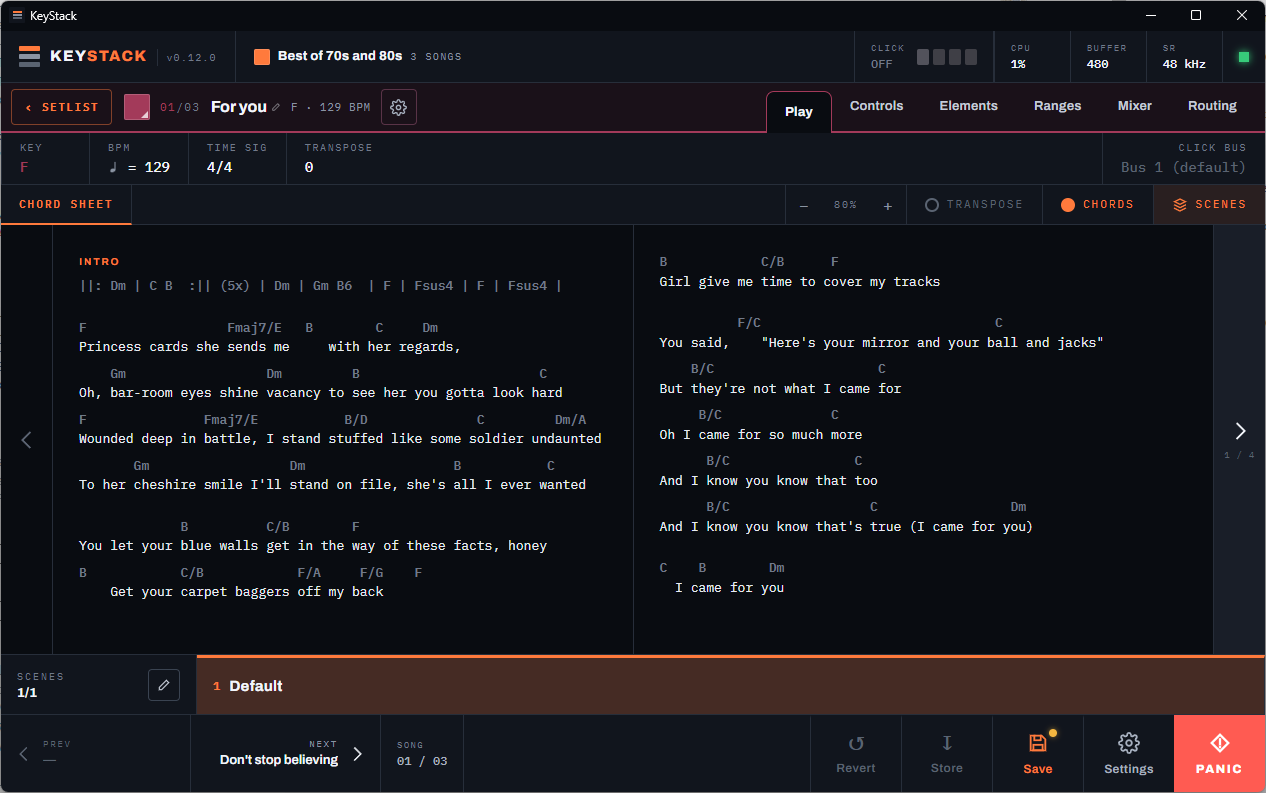
Lyrics and chords, right where you play
Every song has a Play page with its lyrics and chord sheet — paste in Ultimate-Guitar-style charts and they render cleanly, chords aligned above the words.
Transpose the song and the chart follows. Key, tempo, and time signature stay in view, and the next song in the set is always one tap away.
Elements
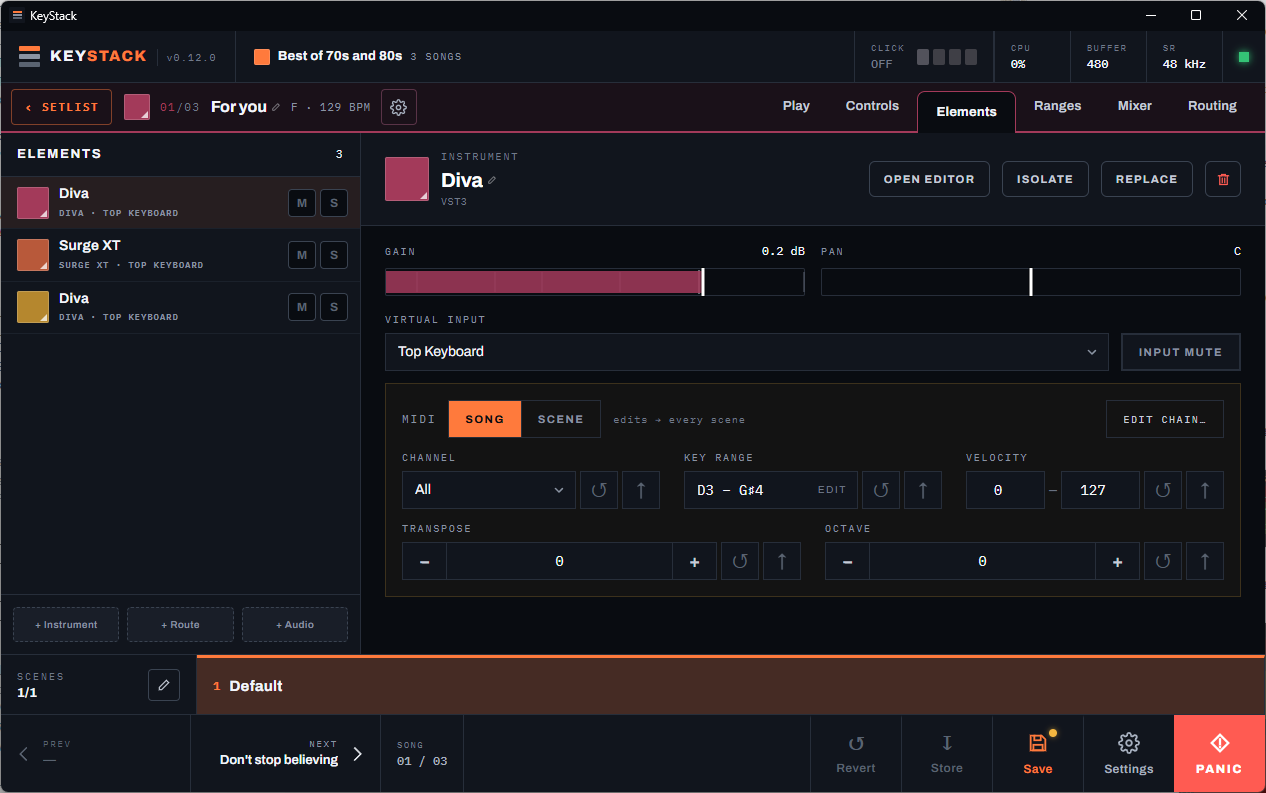
Every layer of a song, one screen
A song is a stack of elements: instruments, MIDI routes to external gear, and audio elements for processing live signals like vocals or guitar.
Each element carries a full MIDI chain — channel and CC remapping, key ranges, velocity filtering, transpose — one tap away, editable per song or per scene.
Ranges
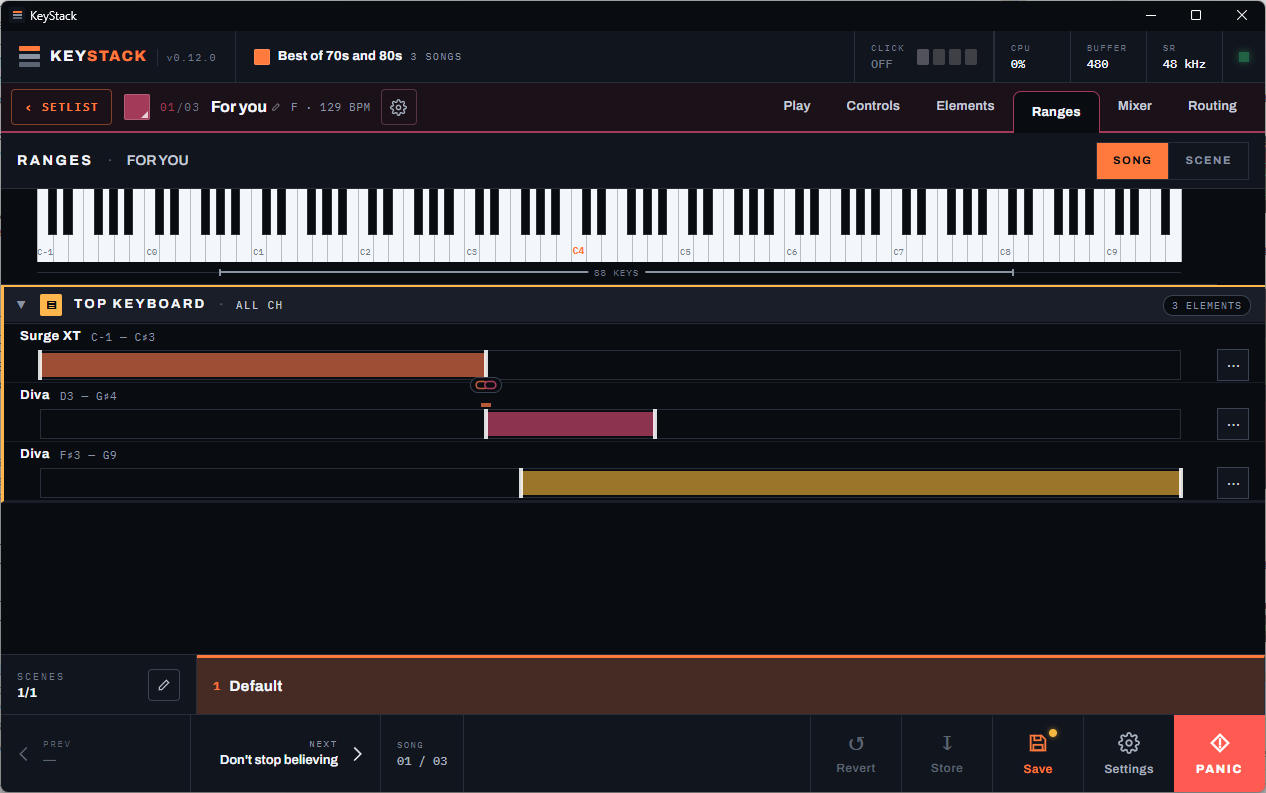
Splits and layers you can see
The Ranges page lays every element out under a full keyboard, so your splits and layers are visible at a glance and adjustable by dragging.
Adjacent split points can be linked so they move together — widen the piano zone and the bass zone gives way, with no gaps and no overlaps.
Mixer
A real mixer, not an afterthought
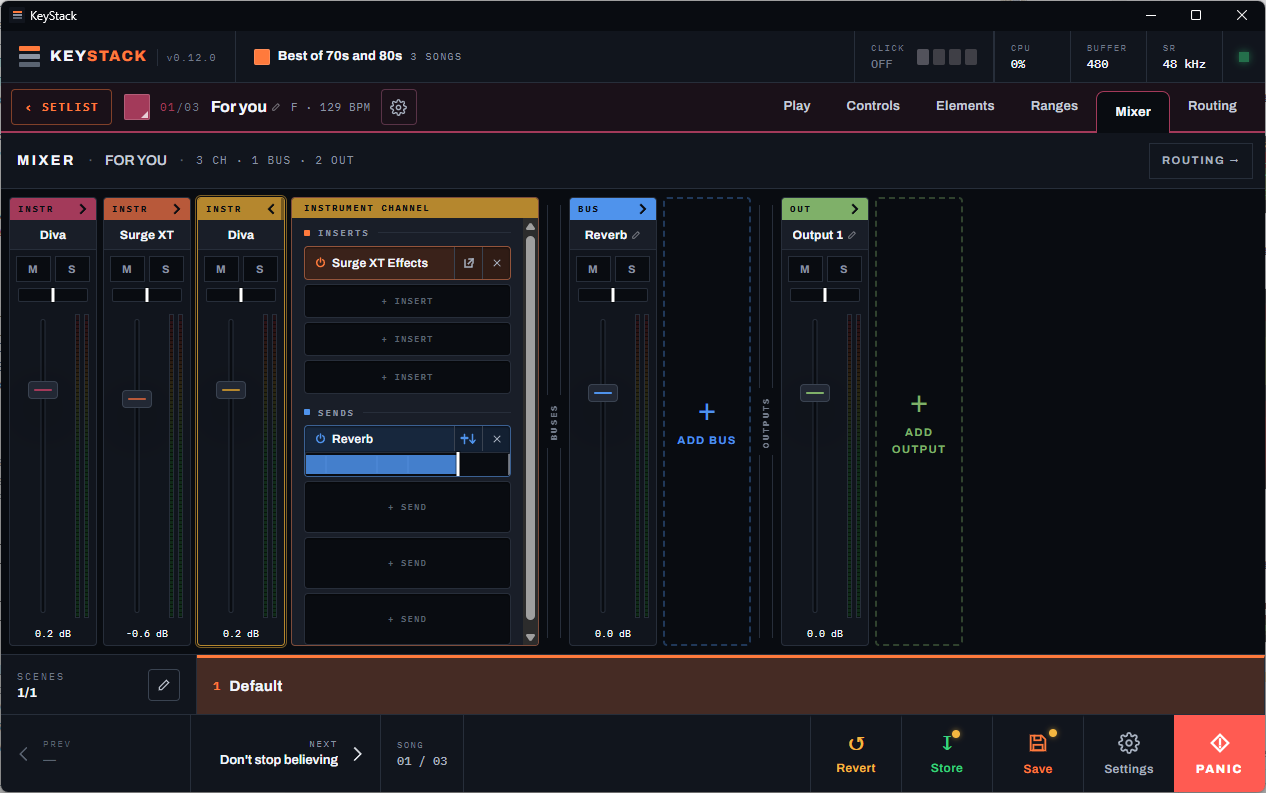
Every song gets a full mixer with configurable buses and outputs. Each channel and bus takes inserts and sends, just like a DAW.
Sends can run pre- or post-fader, and any insert or send can be bypassed on the spot — useful when the room, or the song, calls for less.
Sandboxing
Isolation you can tune per song
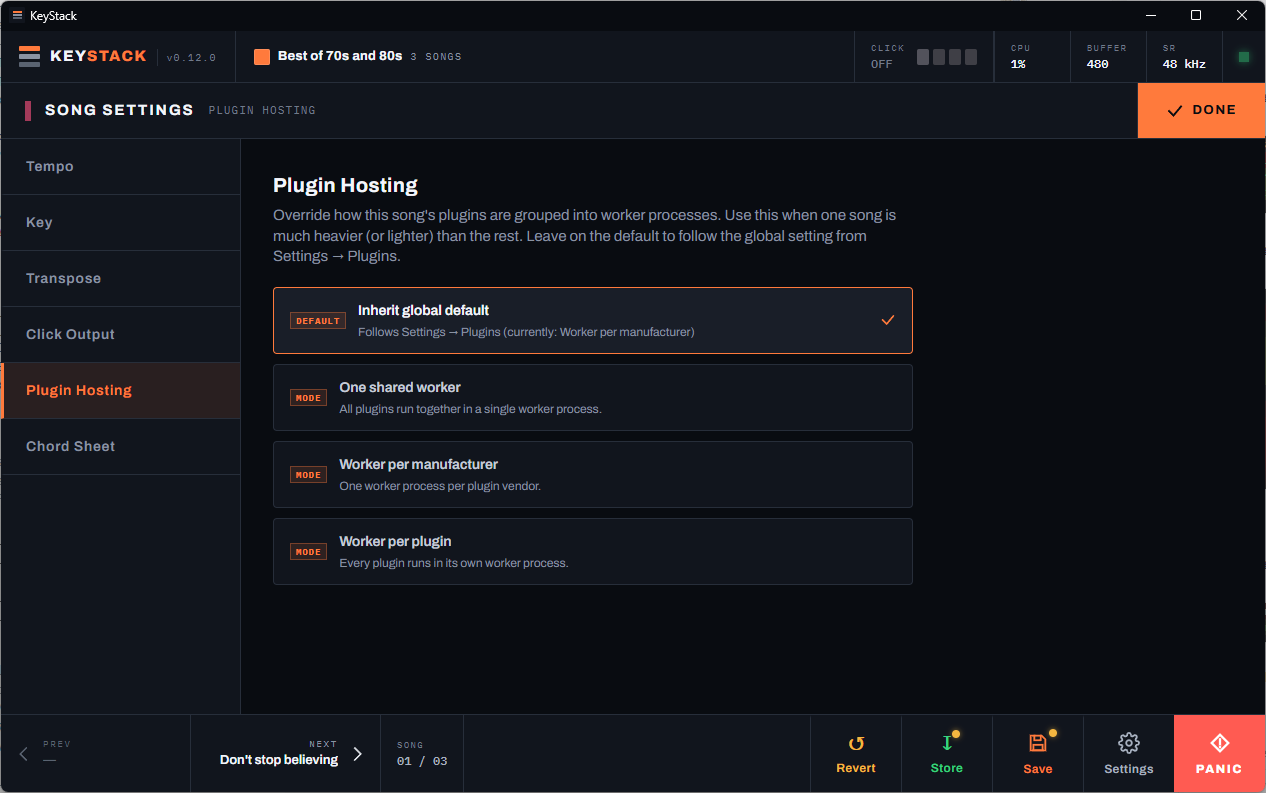
Choose how plugins are grouped into worker processes: one shared worker, one per manufacturer, or full isolation with a process per plugin.
Set a global default, then override it per song — give your heaviest tune stricter isolation while the rest of the set stays lean.
Virtual I/O
Your songs shouldn't care what's on stage tonight
KeyStack puts a virtual layer between your songs and your hardware. Songs reference named logical ports; the mapping to physical devices lives in one place, in settings.
Virtual audio ports
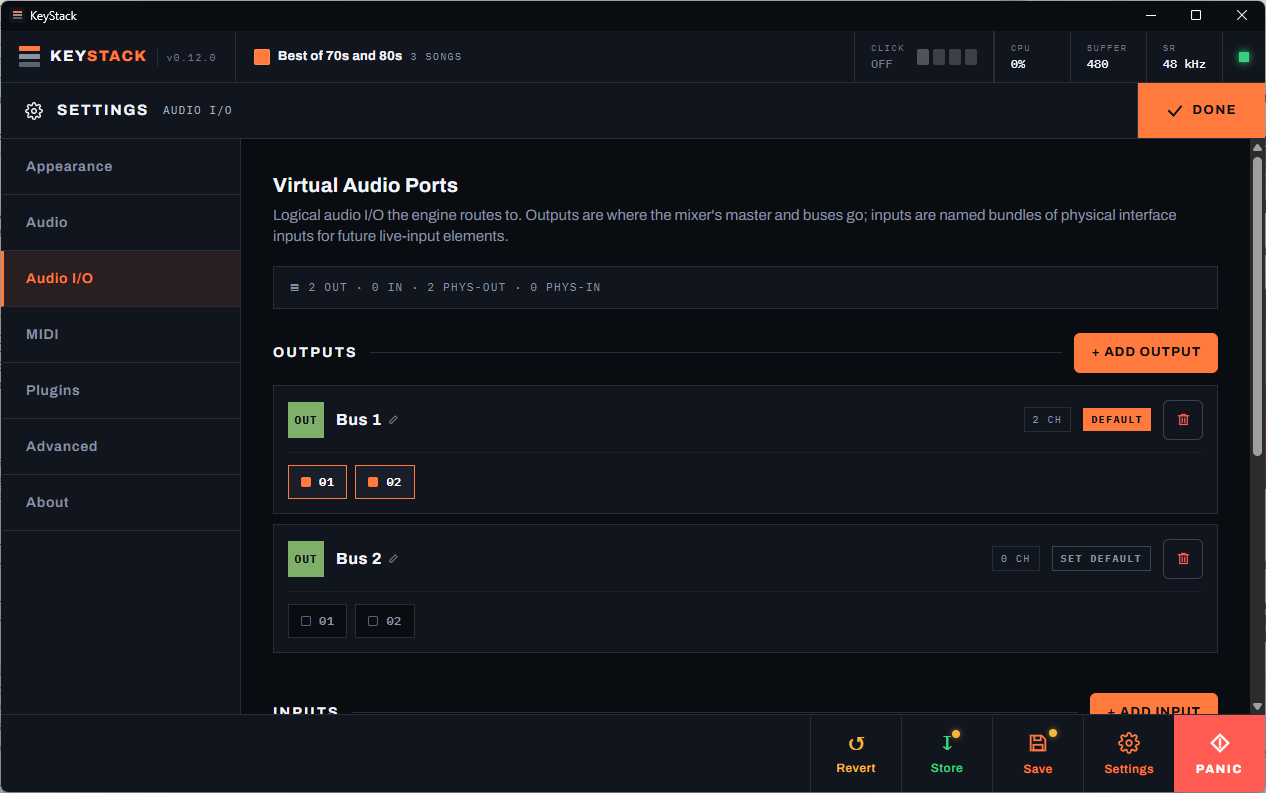
Mixer outputs land on named buses mapped to your interface's physical channels. Change interfaces — or venues — and remap once instead of editing every song.
Virtual MIDI ports
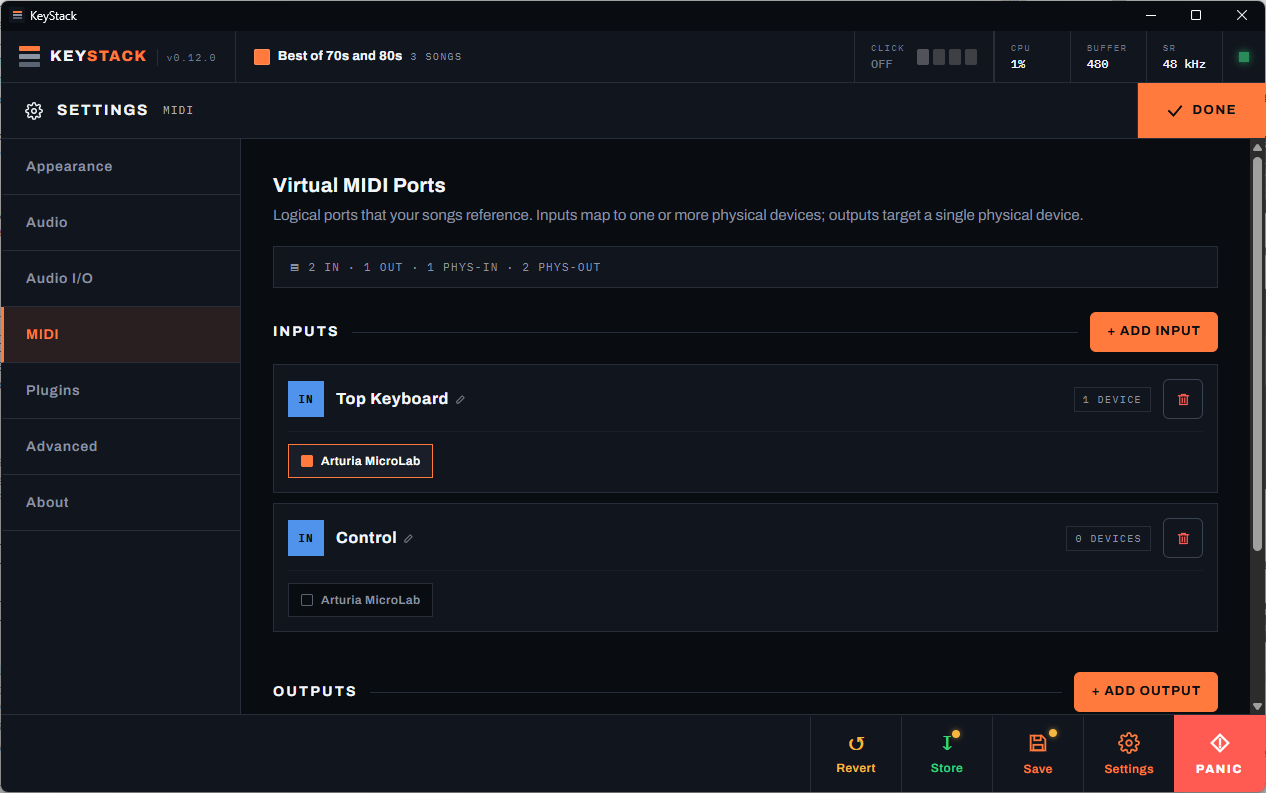
Songs listen to named ports like “Top Keyboard”, not device IDs. Switch rigs or swap a controller and every song follows automatically — no re-routing.
Licensing
Activate once. Play offline permanently.
A purchase includes a perpetual KeyStack license for up to five computers. There is no subscription, license expiry, or periodic internet check.
Get your license key
Paddle handles checkout and delivers your personal license key with the purchase receipt.
Activate online once
Enter the key in KeyStack while connected. A permanent license is then stored securely on that computer.
Use up to five computers
Keep five Windows installations active at once. Deactivate online before retiring a computer to free its place.
KeyStack is coming soon.
We're getting the early builds ready. Want to be among the first keyboardists on stage with KeyStack? Leave your email.
You're on the list — we'll be in touch when the build is ready.
Something went wrong — please try again in a moment.
No newsletter, no spam. One email when early access opens.